YouTube Shorts to GIF: How to Save Vertical Clips for 2026
Master vertical content with our guide on YouTube Shorts to GIF conversion. Learn how to maintain the 9:16 aspect ratio and optimize for mobile sharing.

YouTube Shorts have taken the world by storm, providing a never-ending stream of vertical creativity. But what if you want to take a moment from a Short and turn it into a reaction for your mobile chat? That's where YouTube Shorts to GIF conversion comes in.
In this guide, we'll show you how to handle vertical video like a pro.
The Rise of Vertical Media
By 2026, over 80% of web traffic is mobile. Vertical content isn't just a trend; it's the standard. A YouTube Shorts to GIF workflow allows you to:
- Keep the Focus: Vertical videos are designed to be viewed on phones. Keeping that 9:16 ratio is crucial for impact.
- Instant Messaging: Vertical GIFs look incredible in mobile apps like WhatsApp, iMessage, and Telegram.
- Tease Content: Share vertical clips of your long-form videos to drive Shorts engagement.
Our Vertical Specialization
At CropGIF, we've built our tools with a mobile-first mindset. Our YouTube Shorts to GIF converter uses hardware-accelerated rendering to process vertical footage 2x faster than traditional horizontal-only tools.
How to Convert Shorts to GIFs

1. Identify the Vertical Hook
Shorts are designed around a "hook" in the first 3 seconds. This is usually the best part to turn into a GIF.
2. Locking the Aspect Ratio
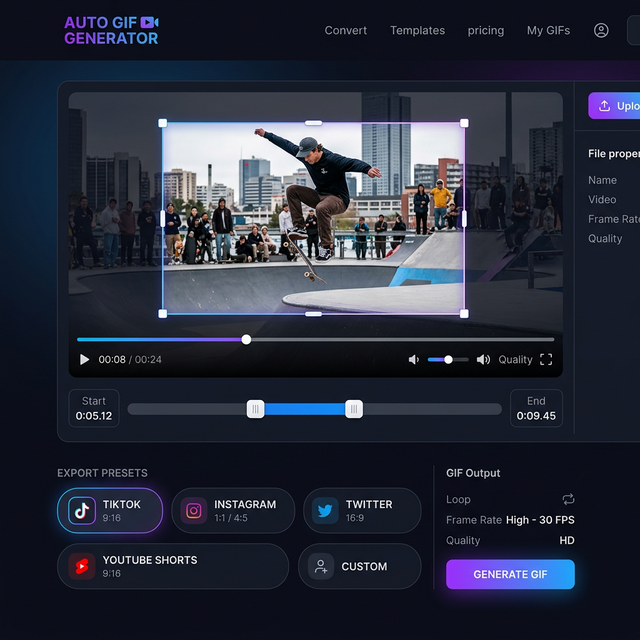
Select our 9:16 (TikTok/Shorts) preset. This ensures your GIF doesn't get stretched or distorted during the conversion process.
3. Center and Crop
Sometimes the subject moves. Use our AI-assisted tracking (or manual crop) to ensure the action stays centered in the vertical frame.
4. Optimize for Mobile
Mobile networks can be inconsistent. Our YouTube Shorts to GIF engine optimizes the color layers to ensure your GIF loads fast even on 4G connections.
Feature Comparison
| Feature | Standard Converter | CropGIF (Shorts Optimized) | | :--- | :--- | :--- | | 9:16 Support | Often crops with black bars | Native vertical support | | Mobile Speed | Slow, non-responsive UI | Ultra-fast mobile workflow | | Quality | Pixelated vertical edges | Sharp, high-fidelity loops |
FAQ: Vertical Content Pro Tips
Q: Can I convert a horizontal YouTube video into a vertical GIF? A: Yes! Use our 9:16 Crop tool to isolate a vertical slice of any horizontal video. This is a great way to "recycle" your wide-screen content for mobile platforms.
Q: Why do my vertical GIFs look taller on some apps? A: Different apps have different display logic. However, the 9:16 standard is the most widely supported vertical ratio and will look great in 99% of modern apps.
Start Short-Looping Today
Don't let your favorite Shorts stay trapped on YouTube. Use our YouTube Shorts to GIF tool to bring that vertical energy to all your conversations.
Convert Your First Short on CropGIF.

About CropGIF Team
Editorial Team · CropGIF
We build and maintain CropGIF and write practical guides for image optimization and web performance.