Auto GIF Generator: The Ultimate Guide to Perfect GIFs in 2026
Discover how to use an auto GIF generator to create high-quality GIFs from videos instantly. Learn about social media presets, cropping, and sharing for TikTok, Instagram, and more.
In 2026, static images are no longer enough to capture attention. Whether you're a social media manager, a content creator, or just someone looking to spice up their messages, a high-quality GIF is your best friend. But making them manually can be a pain. Enter the Auto GIF Generator.
This guide will show you how to leverage auto GIF generation to create professional, shareable content in seconds.
Why Use an Auto GIF Generator?
Traditional GIF making involves complex software, manual cropping, and endless trial-and-error with file sizes. An Auto GIF Generator streamlines this process by:
- Instant Conversion: Turn any MP4, WebM, or MOV file into a GIF with one click.
- Social Media Presets: Automatically crop for TikTok, Instagram, and Twitter.
- Smart Optimization: Get the best quality at the lowest file size.
- No Technical Skills Needed: If you can drag and drop, you can make a GIF.
Key Features of a Modern GIF Tool
A premium tool like CropGIF offers features that go beyond simple conversion:
1. Aspect Ratio Presets
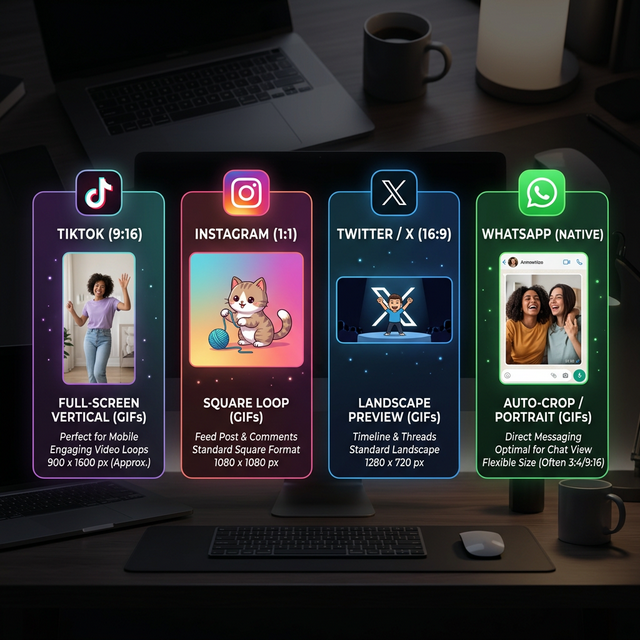
Different platforms require different shapes. An auto GIF generator should provide presets for:
- TikTok/Shorts: 9:16 (Vertical)
- Instagram: 1:1 (Square)
- Twitter/X: 16:9 (Landscape)
2. Precise Timeline Control
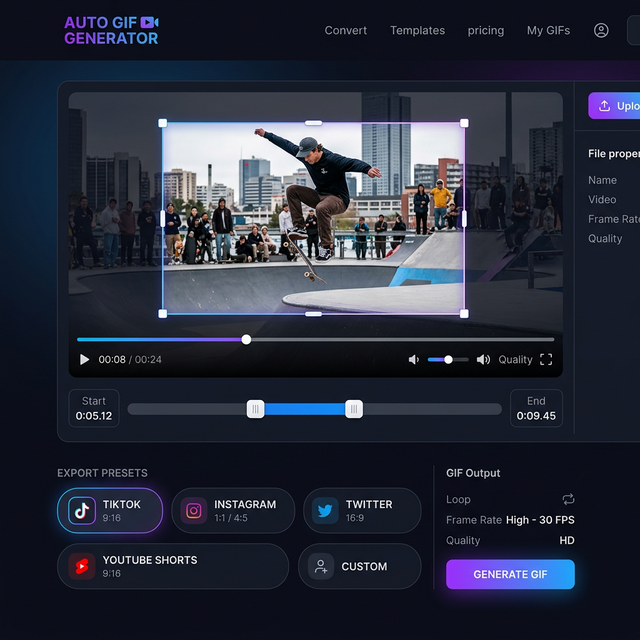
Select the exact start and end times from your video. Most tools allow for up to 30 seconds of high-fidelity GIF creation.
3. Real-time Preview & Cropping
Adjust your crop area visually on the video player before you hit "Convert". This ensures you never miss the action.
Step-by-Step: How to Generate an Auto GIF

Step 1: Upload Your Video
Drag and drop your video file (up to 10MB) onto the converter. We support all major formats.
Step 2: Select Your Preset
Choose the social media platform you're targeting. The tool will automatically set the correct aspect ratio.
Step 3: Adjust the Timeline
Slide the start and end markers to capture the perfect moment. Keep it under 5-10 seconds for the best looping effect.
Step 4: Convert and Share
Click the "Convert" button. In seconds, your GIF will be ready. You can download it directly or get a shareable URL.
Comparison: Manual vs. Auto GIF Generation
| Feature | Manual (Photoshop/Ffmpeg) | Auto GIF Generator | | :--- | :--- | :--- | | Speed | 10-20 minutes | < 30 seconds | | Presets | Manual calculation | One-click selection | | Ease of Use | High learning curve | Zero learning curve | | Cost | Often requires subscription | Free or low-cost |
SEO Checklist for Your GIFs
If you're hosting your GIFs online, follow this checklist to ensure they're found:
- [ ] Descriptive Filename: Use keywords like
auto-gif-generator-demo.gif. - [ ] Alt Text: Describe the GIF's content for accessibility and search engines.
- [ ] Surrounding Text: Place the GIF near relevant content.
- [ ] Compressed Size: Ensure fast loading times to keep users on the page.
Final Thoughts
The era of struggling with file formats is over. With an Auto GIF Generator, you can focus on creativity while the tool handles the technical heavy lifting. Ready to create your first masterpiece? Try CropGIF today!
About CropGIF Team
Editorial Team · CropGIF
We build and maintain CropGIF and write practical guides for image optimization and web performance.