Twitch Clip to GIF: Capture Your Best Streaming Moments
Turn your favorite Twitch clips into high-quality GIFs instantly. Learn the best way to convert, crop, and share Twitch highlights for Discord and social media.

Every streamer knows those "POG" moments—that incredible play, the perfect joke, or the unexpected fail. While Twitch clips are great for the platform, a Twitch clip to GIF conversion is how you make those moments live forever on Discord, Twitter, and Reddit.
In this guide, we'll walk you through the professional workflow for turning raw Twitch footage into optimized, shareable GIFs.
Why GIFs Rule for Gaming
In the gaming community, GIFs are more than just images; they are a form of currency.
- Instant Playback: No need for followers to click a link and wait for a player.
- Reaction Ready: Perfect for use as custom Discord emojis or Slack reactions.
- High Retention: A 5-second loop is more likely to be watched repeatedly than a 30-second video.
Expertise in Live Stream Conversion
The CropGIF team has extensive experience in handling the variable bitrates of live stream VODs. Twitch footage can be tricky due to compression artifacts, but our "Smart" engine uses advanced dithering to ensure your Twitch clip to GIF conversion remains vibrant and clear.
Step-by-Step: Twitch to GIF Workflow

1. Capture the Highlight
Use Twitch's native clipping tool to grab the 30-60 second window. Then, bring that file into CropGIF for the "surgical" trimming.
2. The "Action Crop"
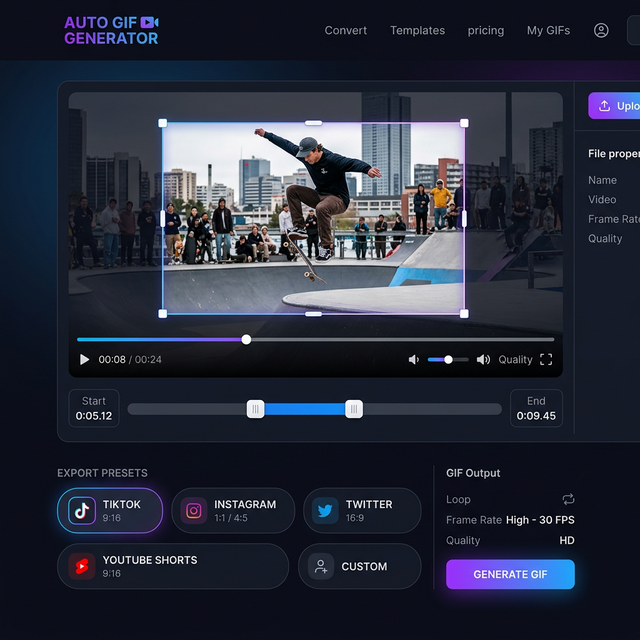
Most Twitch streams have a lot of UI clutter (webcam, chat, overlays). Use our Crop tool to focus strictly on the gameplay or the streamer's reaction. This makes the GIF much more readable on small screens.
3. Loop Perfection
Find a "clean exit" for your clip. If a character is running, try to end the clip when they are in a similar position to where they started. This creates that "infinite loop" feel that gamers love.
4. Optimize for Community Sharing
Discord has strict limits. Our Twitch clip to GIF tool includes a "Compress to 10MB" preset specifically designed for gamer communities.
Best Presets for Gamers
| Platform | Recommended Aspect Ratio | Max File Size | | :--- | :--- | :--- | | Discord (Free) | 1:1 or 16:9 | 10 MB | | Twitter / X | 16:9 or 9:16 | 15 MB | | TikTok | 9:16 (Vertical) | N/A (Video preferred) | | Reddit | 16:9 | 100 MB |
FAQ: Streamer Questions
Q: Will converting a clip to a GIF lower my stream quality? A: All GIFs are limited to 256 colors. However, our high-quality dithering makes this loss almost unnoticeable for high-energy gaming clips.
Q: Can I automate my Twitch clips to GIFs? A: While we offer manual "Smart" tools now, we are working on AI-driven features to automatically detect "Clutch" moments and suggest GIF crops!
Conclusion
Turn your best stream moments into viral assets. Master the Twitch clip to GIF process and start building your brand across every social platform.
Clip Your Best Moments on CropGIF.
About CropGIF Team
Editorial Team · CropGIF
We build and maintain CropGIF and write practical guides for image optimization and web performance.