AI Video to GIF: The Future of Instant Content Creation
How is AI changing the way we make GIFs? Explore the power of AI video to GIF conversion, from automatic subject tracking to intelligent scene selection.
Artificial Intelligence is no longer a buzzword; it's a tool that's fundamentally changing how we create. One of the most practical applications of this tech is AI video to GIF conversion. By using machine learning to understand video content, we can now generate high-quality, perfectly framed GIFs in less time than it takes to type a tweet.
In this guide, we'll look at the specific ways AI is making GIF creation smarter, faster, and more accessible.
The Role of Machine Learning in GIFs
Why does a video converter need a "brain"? Traditional converters are "blind"—they treat every pixel the same. An AI video to GIF tool "sees" the video.
1. Subject Tracking & Auto-Crop
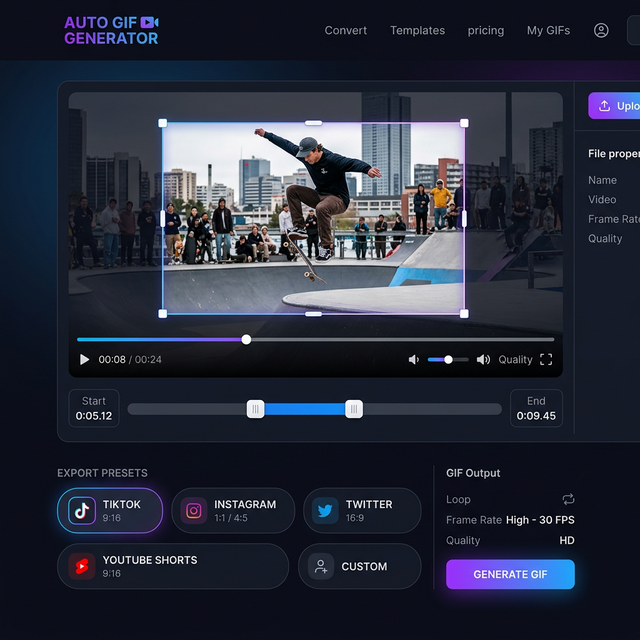
Have you ever tried to crop a video to a 9:16 vertical format (for TikTok) only to have the subject move out of frame? AI solves this by tracking the main subject and dynamically adjusting the crop window so the action is always centered.
2. Semantic Analysis
AI can "understand" what is happening in a video. It can distinguish between a slow transition and a high-action highlight, automatically suggesting the best points to start and end your GIF.
Why We Use AI at CropGIF
At CropGIF, our team integrates lightweight AI models to handle the repetitive parts of editing. We believe that humans should focus on the vision, while the AI handles the precision. This philosophy allows us to provide professional results to everyone, regardless of their technical skill level.
The AI Workflow: From Raw Video to Perfect Loop
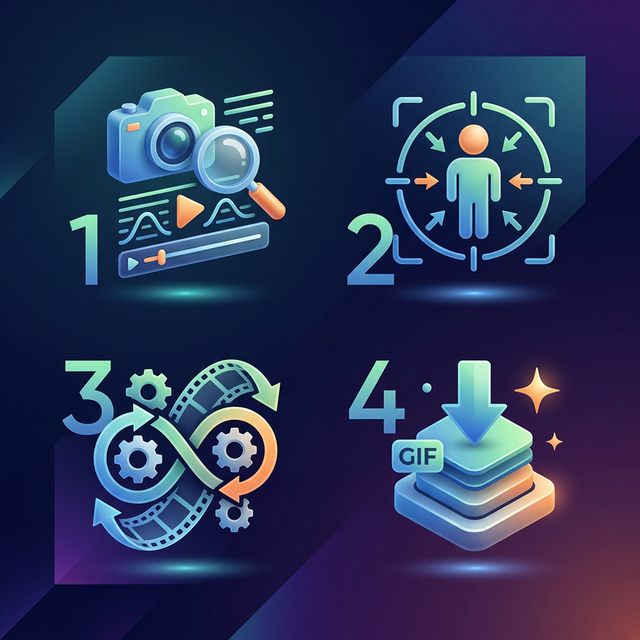
Our AI-driven process is designed for maximum efficiency:
- Scene Ingestion: The AI scans the video's frames to identify scene changes.
- Saliency Mapping: It identifies the most "important" parts of each frame (faces, moving objects, text).
- Optimal Trimming: It suggests a 3-5 second clip that captures the full semantic meaning of the moment.
- Neural Palette Optimization: Instead of a simple math-based color reduction, it uses a neural network to choose the 256 colors that will make your GIF look most like the original video.
AI vs. Traditional Tools
| Feature | Traditional Tools | AI-Powered Tools | | :--- | :--- | :--- | | Cropping | Manual, fixed position | Dynamic, subject-tracking | | Trimming | Manual scrubbing | Automatic suggestions | | Color Quality | Dithering algorithms | Neural color mapping | | File Size | Linear compression | Content-aware optimization |
The Future of AI GIFs
We're just scratching the surface. In the near future, we expect AI video to GIF tools to include:
- Automatic Captioning: Generating subtitles based on the video's audio.
- Style Transfer: Turning a live-action video highlight into an anime-style GIF.
- Background Removal: Creating transparent GIFs with one click.
Getting Started with AI GIFs
You don't need a supercomputer to use AI. Our web-based tools bring the power of machine learning directly to your browser. Whether you're making an emoji for Discord or a viral clip for Twitter, the AI video to GIF workflow is your secret weapon.
Experience the Future of GIFs on CropGIF.
About CropGIF Team
Editorial Team · CropGIF
We build and maintain CropGIF and write practical guides for image optimization and web performance.