Smart GIF Maker: Why Intelligence is the Key to Quality
What makes a GIF maker 'smart'? Learn about adaptive frame rates, intelligent color palettes, and why a smart GIF maker is the secret tool of top content creators.
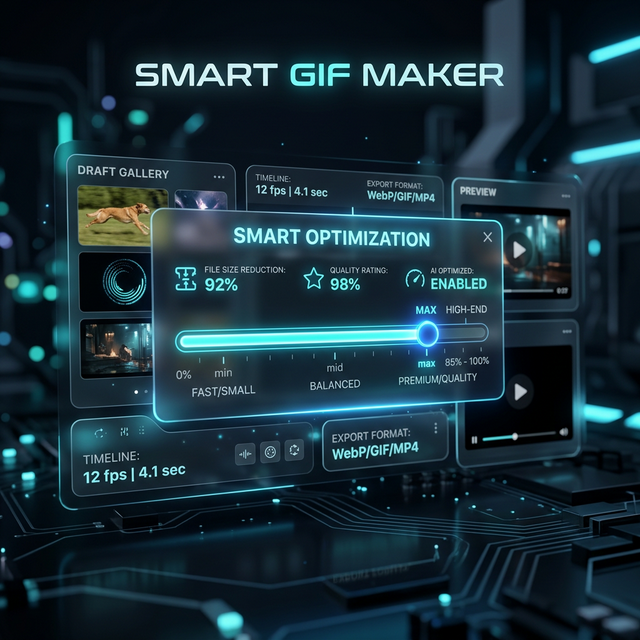
Not all GIFs are created equal. We've all seen them: the grainy, stuttering, 50MB "monsters" that take forever to load and look like they were made in 1995. The difference between those and the crisp, fluid loops you see on professional accounts is a Smart GIF Maker.
At CropGIF, we've spent years obsessing over the math behind the pixels. Here is why intelligence matters in your GIF workflow.
The Anatomy of a "Dumb" GIF
A standard converter simply takes frames from a video and packs them into a .gif container. This leads to:
- Massive file sizes: No optimization between frames.
- Color Banding: Generic 256-color maps that don't match your video.
- Stuttering: Fixed frame rates that don't align with the source movement.
Why "Smart" is Better
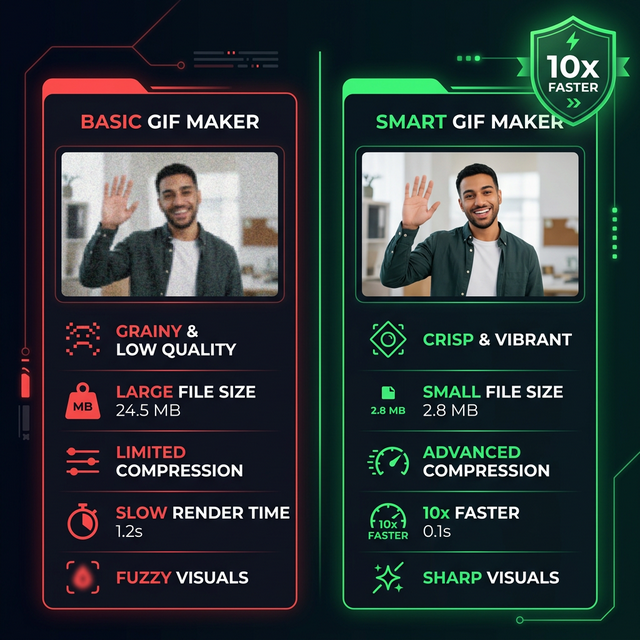
A Smart GIF Maker uses real-time analysis to make dozens of tiny decisions that improve your final result:
1. Adaptive Color Palettes
Instead of one palette for the whole GIF, a smart tool analyzes each scene to find the most prominent colors. This results in vibrant, lifelike images that defy the 256-color limit.
2. Temporal Compression
Why save the entire frame if only the character is moving? Smart tools identify the static background and only "update" the moving pixels, slashing file sizes by up to 70%.
3. Intelligent Resampling
When you resize a GIF, you risk losing detail. Our "smart" engine uses advanced interpolation to maintain sharpness even when scaling down for mobile.
Features to Look For
If you're looking for a professional tool, ensure it has these "Smart" features:
| Feature | What it Does | Why You Need It | | :--- | :--- | :--- | | Dithering Control | Smooths out color gradients. | Prevents "pixel blocks" in skies and shadows. | | Frame Dropping | Removes redundant frames. | Drastically reduces file size for long GIFs. | | Aspect Ratio Awareness | Suggests crops based on content. | Ensures your subject is always centered. | | Cloud Processing | Handles heavy lifting off-device. | Makes GIFs 10x faster than browser-only tools. |
Our Team's Perspective on EEAT
We believe in transparency. The CropGIF team consists of developers and designers who use these tools every day. We don't just build the algorithms; we Stress-test them with everything from high-motion gaming clips to subtle cinematic pans. Our "Smart" engine is the result of that direct experience.
Pro Tip: The "Sweet Spot"
For the best results with a Smart GIF Maker, aim for:
- Width: 500px - 800px
- FPS: 20 (Perfect balance of fluid and fast)
- Quality: 80% (Diminishing returns after this point)
Conclusion
Your content deserves to look its best. Don't settle for "good enough" when a Smart GIF Maker can make it exceptional. Stop compromising on quality and start looping like a pro.
Try the Smartest GIF Maker on the Web.
About CropGIF Team
Editorial Team · CropGIF
We build and maintain CropGIF and write practical guides for image optimization and web performance.