Twitch Highlight GIF: Make Your Stream's Best Moments Viral
Learn how to create a high-impact Twitch highlight GIF. This guide covers the best ways to frame, trim, and optimize your streaming highlights for maximum shareability.

Your stream VODs are full of gold, but a VOD is too big to share. A Twitch highlight GIF is the distilled essence of your best content. It's the "movie trailer" for your stream that hooks new viewers in seconds.
In this guide, we'll explore the strategy of using highlight GIFs to grow your community.
The Strategy of the Loop
The best Twitch highlight GIF isn't just a clip; it's a loop. When a viewer can't tell where the action starts and where it ends, they are more likely to watch it multiple times, which boosts your reach on algorithmic social feeds.
Expertise in Content Growth
The CropGIF Team has worked with hundreds of growing streamers. We've seen first-hand that a well-crafted GIF can drive more clicks than a generic "Live Now" image ever could. Our tools are built to give you that competitive edge.
Tips for High-Impact Highlights

1. Isolate the Climax
Don't include the "before" or "after". If you won a fight, start the GIF at the final swing and end it at the victory screen.
2. Emotional Intensity
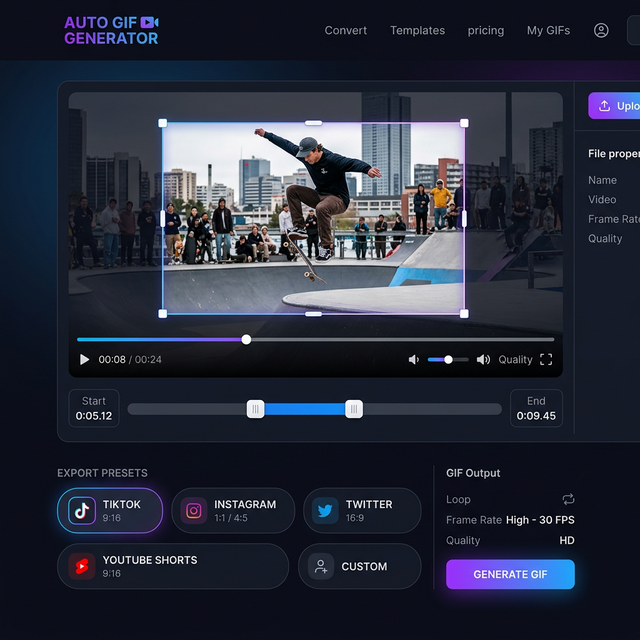
The best highlights are often the ones where your (the streamer's) reaction is visible. Use our Crop feature to include your webcam in the corner while keeping the gameplay central.
3. Frame Rate Fluidity
For high-speed action games like Apex Legends or Overwatch, aim for a higher frame rate (30fps) in your Twitch highlight GIF. It will look much more professional and "satisfying" than a 10fps stutter.
Choosing the Right Format
| Destination | GIF vs MP4 | Why? | | :--- | :--- | :--- | | Discord | GIF | Natively embeds and loops. | | Twitter / X | Both | Twitter converts GIFs to videos anyway, but GIFs are easier to upload. | | Instagram | MP4 | Instagram Reels require video format (vertical). | | Twitch Bio | GIF | Perfect for showing your "Best Plays" in your profile. |
FAQ: Growing Your Brand
Q: How many highlight GIFs should I make per stream? A: Aim for 1-3. Focus on quality over quantity. One "insane" Twitch highlight GIF is better than 10 mediocre ones.
Q: Can I use highlight GIFs as alerts on my stream?
A: Yes! Our tool exports standard .gif files that can be uploaded as custom alerts in Streamlabs or OBS.
Unleash Your Best Moments
Every great stream has a highlight waiting to be discovered. Use our Twitch highlight GIF toolkit to find, frame, and share those moments with the world.
Start Your Stream Growth on CropGIF.
About CropGIF Team
Editorial Team · CropGIF
We build and maintain CropGIF and write practical guides for image optimization and web performance.