GIF for WhatsApp: How to Share High-Quality Loops on Mobile
Master the mobile GIF. Learn the best resolutions and file sizes for a GIF for WhatsApp to ensure your loops look crisp and play perfectly on every phone.

WhatsApp is where we share our most personal moments, from family jokes to quick group reactions. But there's nothing more frustrating than a GIF for WhatsApp that looks like a pixelated mess. Because WhatsApp is a mobile-first platform, your GIFs need to be optimized for small screens and variable data speeds.
In this guide, we'll show you how to create "WhatsApp Ready" GIFs that stay crisp and vibrant.
The Challenge of Mobile Compression
WhatsApp is aggressive with its data saving. When you send a GIF for WhatsApp, the app re-encodes it. To combat this, you need to provide a file that has high "structural integrity."
- Bitrate Balance: Too high and WhatsApp will crush it; too low and it starts off blurry.
- Resolution: 480p is the "golden ratio" for mobile messaging.
- Color Depth: Using a custom palette ensures that even after WhatsApp's compression, the colors remain accurate.
Our Mobile-First Expertise
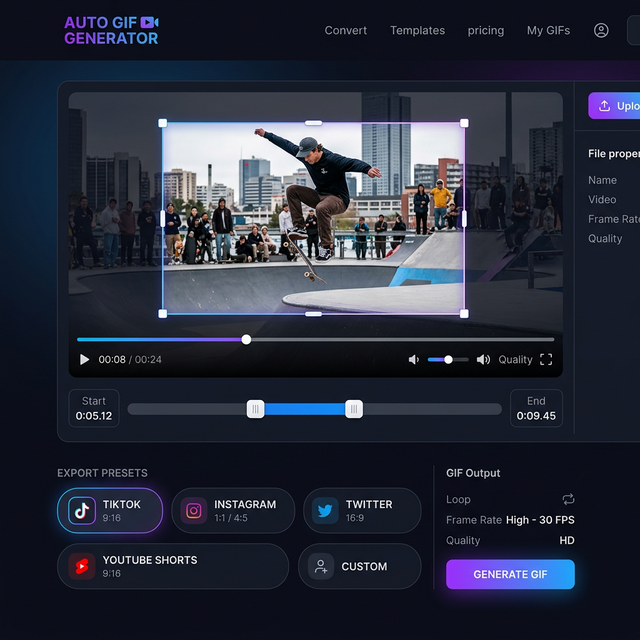
The CropGIF team built our platform to be used on-the-go. We've optimized our GIF for WhatsApp presets to match the exact specs of the app's internal viewer, ensuring that what you see in our editor is exactly what your friends see in the chat.
3 Rules for WhatsApp GIFs

1. Loop Early, Loop Often
Mobile attention spans are short. A 2-second GIF that loops smoothly is much more effective than a 6-second one that takes time to get to the point.
2. Use Vertical or Square
Since most people use WhatsApp in portrait mode, a vertical (9:16) or square (1:1) GIF takes up more screen space and feels more "native" to the app.
3. Check the "Thumbnail"
WhatsApp shows a static thumbnail before the GIF autoplays. Our tool lets you select the perfect "poster frame" to ensure the GIF looks interesting even before it starts moving.
Format Comparison for Mobile
| Feature | GIF for WhatsApp | Video for WhatsApp | | :--- | :--- | :--- | | User Experience | Instant, silent loop | Requires tap to play | | File Size | Usually larger (per second) | Very small | | Vibe | Casual, meme-centric | High-fidelity, cinematic |
FAQ: Mobile Mastery
Q: Can I turn my Live Photos into WhatsApp GIFs? A: Yes! Export your Live Photo as a video, upload it to CropGIF, and we'll turn it into a perfectly shareable loop for your family group chats.
Q: Will GIFs use up my friend's data? A: All media uses data, but an optimized GIF for WhatsApp (under 2MB) is very light and won't be a burden on most modern data plans.
Start Sharing the Laughter
Don't settle for the generic GIFs in the searchable library. Use the GIF for WhatsApp workflow on CropGIF to create personal, high-quality loops that your friends and family will actually want to save.
Make Your WhatsApp GIFs on CropGIF.
About CropGIF Team
Editorial Team · CropGIF
We build and maintain CropGIF and write practical guides for image optimization and web performance.