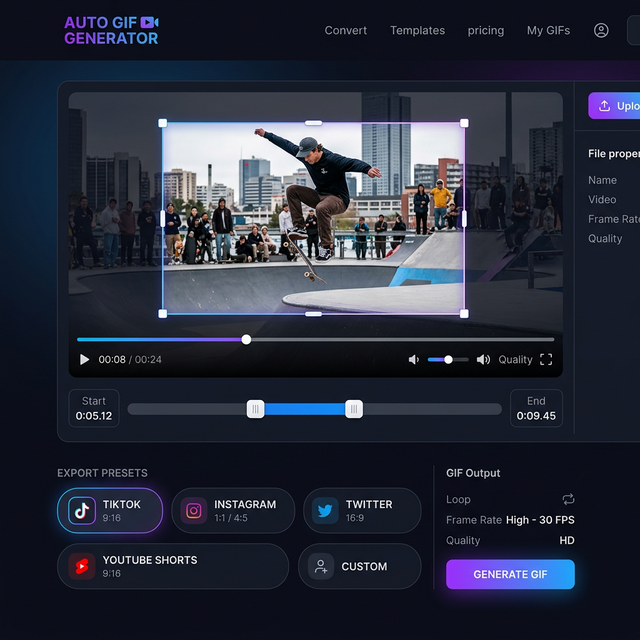
GIF for Twitter: How to Stop the Scroll in 2026
Master the art of the Twitter (X) GIF. Learn about file size limits, auto-looping secrets, and how to create GIFs that stand out on any feed.

Twitter (now X) is a platform of speed. An image says a thousand words, but a GIF for Twitter says them in under three seconds. If you're looking to boost your engagement, threads, or brand awareness, mastering the GIF format is non-negotiable.
In this guide, we'll reveal the technical and creative secrets to winning the Twitter feed.
The Twitter "Stop-the-Scroll" Factor
A GIF is the ultimate "scroll stopper." Because they autoplay in the feed, they capture eyes that would otherwise zip past a text post or a static image. A high-quality GIF for Twitter:
- Triggers Curiosity: People stop to see how the loop ends.
- Conveys Personality: GIFs are the language of humor and reaction in the Twitter ecosystem.
- Boosts the Algorithm: Higher "dwell time" (time spent looking at your tweet) signals the algorithm to show it to more people.
Expertise in Social Optimization
The CropGIF Team has analyzed thousands of viral tweets. We've optimized our engine to produce files that match Twitter's conversion logic perfectly. When you upload a GIF for Twitter made with our tool, you avoids the "compression artifact" look that plagues many basic converters.
Best Practices for Twitter Success

1. Optimize for 16:9 or 1:1
Most Twitter users are on mobile. A horizontal (16:9) or square (1:1) GIF takes up the most "real estate" in the feed without getting cut off.
2. High Contrast is King
Twitter's UI is clean but can Be busy. Use GIFs with high contrast or vibrant colors to ensure they pop against the white or dark-mode background.
3. Mind the 15MB Limit
Don't push it to the edge. A 5MB GIF loads much faster and more reliably than a 15MB one. Fast loading means people see the action before they keep scrolling.
Comparison: GIF vs. Video on Twitter
| Feature | GIF | Video | | :--- | :--- | :--- | | Autoplay | Always (if opted in) | Requires 50% screen visibility | | Looping | Infinite | Requires manual restart | | Sound | No | Yes | | Speed of Creation | Seconds | Minutes/Hours |
FAQ: Social Media Strategy
Q: Should I use external GIF hosting or upload directly? A: Always upload directly! Twitter gives much higher priority and better playback to natively uploaded files than to external links from places like Giphy.
Q: Can I add text to my Twitter GIFs? A: Yes, adding a simple caption or "Subtitle" style text can help convey the message even if the user doesn't spend a long time on the tweet.
Win the Feed Today
Twitter moves fast, but a great GIF moves faster. Start using the GIF for Twitter workflow to make your content undeniable.
Make Your Viral Twitter GIF on CropGIF.
About CropGIF Team
Editorial Team · CropGIF
We build and maintain CropGIF and write practical guides for image optimization and web performance.