GIF for Slack: Professional Communication with a Human Touch
Master the art of the workplace GIF. Learn how to use a GIF for Slack to enhance team culture, celebrate wins, and communicate effectively in a professional environment.

Work doesn't have to be boring. In the remote-first world of 2026, GIF for Slack usage has become a cornerstone of modern team culture. A well-timed loop can say more than a thousand bullet points, bringing a much-needed human touch to digital workspaces.
This guide explores how to balance professionalism with personality using the power of GIFs.
The Cultural Impact of the Slack GIF
Slack is where work happens, but it's also where team bonds are formed.
- Celebrating Wins: A "High Five" GIF for a closed deal.
- Onboarding: A "Welcome" loop for a new hire.
- Relatability: A "Coffee Needed" GIF on a Monday morning.
Expertise in Optimized Assets
The CropGIF team uses Slack for our internal coordination. We know how frustrating it is when a "Welcome" GIF takes 30 seconds to load for a colleague on mobile. That's why we've built our GIF for Slack tool to prioritize "instant-load" performance without sacrificing visual clarity.
Professional Best Practices

1. Know Your Audience
A GIF that works in a #random channel might not be appropriate for a #client-facing one. Use GIFs to mirror the existing culture of the channel.
2. Isolate the Message
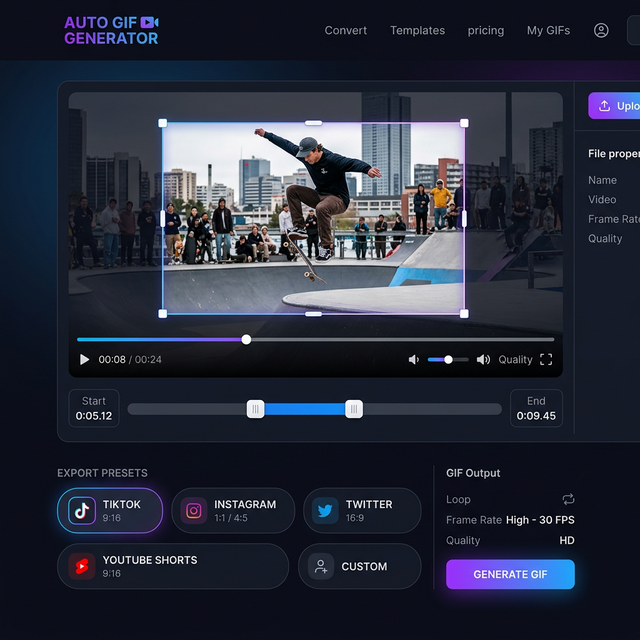
If you're using a GIF to explain a software bug or a feature, use our Crop tool to focus strictly on the area of the screen you're discussing. This makes the "Highlight" much more effective.
3. Loop Length
For professional feedback, keep your GIFs short (2-3 seconds). This ensures the viewer doesn't have to wait to see the "point" you are making.
Slack GIF Specifications
| Use Case | Recommended Format | File Size Limit | | :--- | :--- | :--- | | Custom Emoji | GIF | 128 KB | | Reaction GIF | GIF | 5 MB (Recommended) | | Tutorial Snippet | GIF / MP4 | 10 MB |
FAQ: Productivity and Fun
Q: Can I turn a Zoom recording into a Slack GIF? A: Yes! Use CropGIF to upload your Zoom clip, trim the key moment, and export it. It's the best way to share "lightbulb moments" from meetings.
Q: Will my Slack GIFs be searchable?
A: If you upload them with descriptive filenames like project-launch-celebration.gif, they will be much easier for your team to find in the Slack file browser later.
Humanize Your Workspace
Don't let your Slack channels become a sea of grey text. Use the GIF for Slack workflow to inject some energy, clarity, and fun into your team's day.
Optimized Your Workplace GIFs on CropGIF.
About CropGIF Team
Editorial Team · CropGIF
We build and maintain CropGIF and write practical guides for image optimization and web performance.