YouTube to GIF: The Ultimate Guide for Content Creators
Master the art of YouTube to GIF conversion. This 2026 guide covers the best workflows for turning YouTube segments into high-quality, shareable GIFs for social media and news.

YouTube is the world's largest library of video content, but sometimes a 10-minute video is too long. In the fast-paced world of social media, a YouTube to GIF workflow is your secret weapon for capturing attention instantly. Whether it's a funny reaction, a tutorial step, or a cinematic vista, GIFs are the perfect bite-sized format for the web.
In this comprehensive guide, we'll show you how our team at CropGIF approaches YouTube conversion with professional-grade results.
Why YouTube GIFs are Essential for 2026
Content consumption has shifted toward "micro-moments." A GIF of a YouTube video:
- Drives Traffic: Use a GIF as a "teaser" on Twitter or Reddit to link back to the full video.
- Explainers: Break down complex tutorials into easy-to-digest steps.
- Engagement: People are more likely to share a 3-second loop than a 10-minute link.
Expertise in Video Platforms
Our developers have spent thousands of hours optimizing video pipelines. We've built CropGIF to handle the high bitrates and diverse codecs used by YouTube, ensuring that your YouTube to GIF conversion remains crisp and fluid every time.
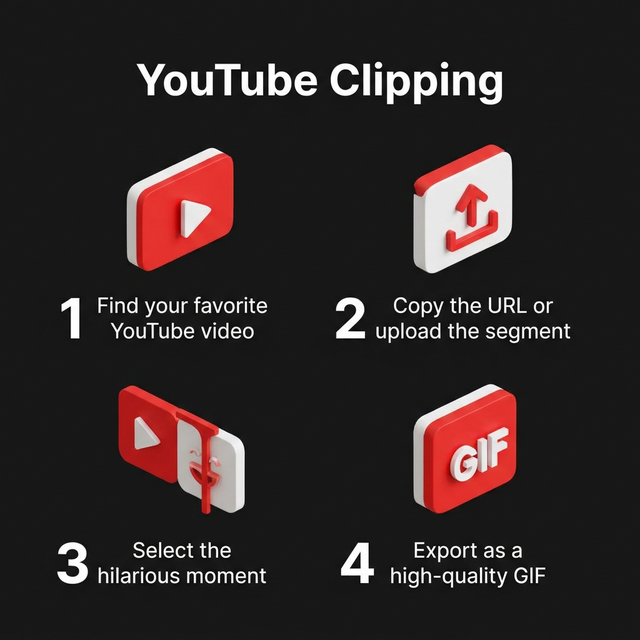
Step-by-Step: From YouTube to Viral GIF
1. Source Selection
Identify the specific segment you want to convert. For the best looping effect, look for moments with a clear start and end point (like a character jumping or a ball entering a net).
2. Segment Capture
While some tools allow external URL input, the most reliable way in 2026 is often to download a high-resolution segment of the video and upload it to our dedicated YouTube to GIF converter. This ensures you have full control over the quality.
3. Precise Clipping
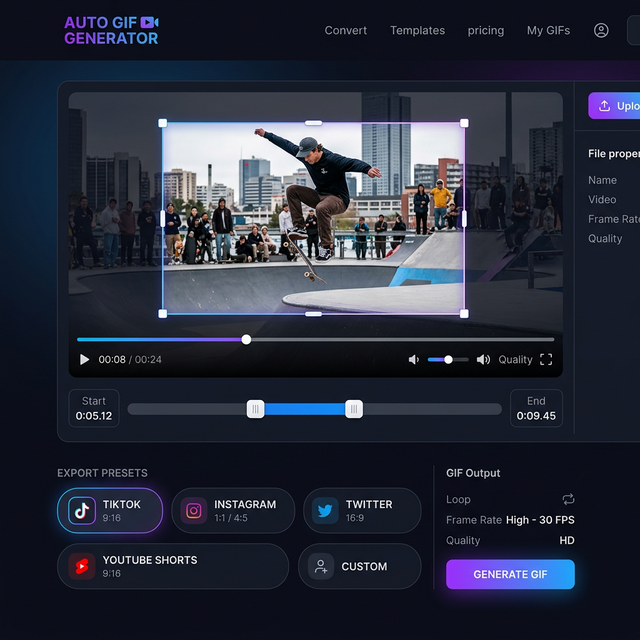
Use our sub-second timeline sliders. Remember: short is better. A 2-4 second GIF is much more likely to be shared than a 10-second one.
4. Smart Optimization
Once you hit convert, our engine applies advanced dithering and temporal compression. This keeps your YouTube highlights looking premium while ensuring they load instantly on mobile devices.
YouTube vs. Other Formats
| Feature | YouTube (Video) | YouTube (GIF) | | :--- | :--- | :--- | | User Interaction | Requires 'Play' click | Autoplays | | Looping | Requires manual restart | Infinite loop | | Ease of Sharing | High (Link) | Higher (Embedded Image) | | Accessibility | Requires high bandwidth | Works on low-speed data |
Best Practices for Platforms
For Twitter (X)
Keep your GIFs under 15MB. Our YouTube to GIF tool has a specific preset for Twitter that optimizes the dimensions and frame rate automatically.
For Discord
Discord has specific upload limits for non-Nitro users. Use our "Compress under 10MB" feature to ensure your YouTube clips post perfectly every time.
FAQ: Common Questions
Q: Can I make a GIF from a YouTube Short? A: Absolutely! In fact, the vertical format of Shorts makes them perfect for 9:16 GIF conversion. Just use our "TikTok/Shorts" preset during the cropping phase.
Q: Why is my YouTube GIF blurry? A: This usually happens if the source video resolution was low or if the converter didn't handle the color mapping correctly. Ensure you use a high-quality tool like CropGIF for the best results.
Final Thoughts
The bridge between YouTube's massive library and your social media audience is a great GIF. By mastering the YouTube to GIF workflow, you become a more efficient and effective storyteller.
Ready to start? Convert your first YouTube highlight now.
About CropGIF Team
Editorial Team · CropGIF
We build and maintain CropGIF and write practical guides for image optimization and web performance.