How to Convert Twitch Clip to GIF: A Gamer's Essential Guide
Looking for the fastest way to convert Twitch clip to GIF? This 2026 guide explains how to take your gaming highlights and turn them into perfect loops for Discord.

Gaming is all about the "moment." But sharing a link to a Twitch clip often feels like an extra step for your audience. When you convert Twitch clip to GIF, you remove the friction and put the action front and center in their feed.
In this guide, we'll show you the most efficient workflow for 2026.
Why Technical Precision Matters
Live streams are notoriously difficult to convert because they use variable frame rates. A "lazy" converter will result in a jumpy, stuttering GIF. To properly convert Twitch clip to GIF, you need an engine that can synchronize the stream's timestamps with the GIF's frame delay.
Our Expertise
The CropGIF team has built specialized handlers for the .mp4 files produced by Twitch's clipping service. We ensure that your "clutch" plays remain as smooth in GIF form as they were on the live stream.
Step-by-Step: The Conversion Process

1. Clip and Download
Grab the clip on Twitch and download the 1080p version.
2. Selective Trimming
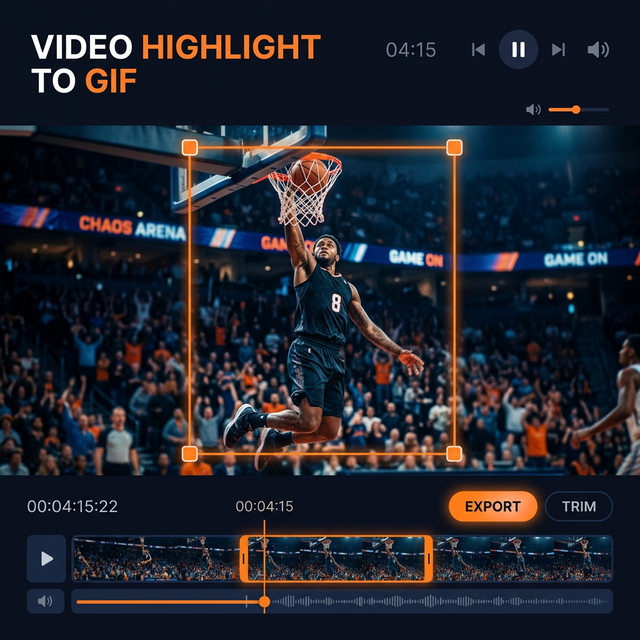
Most Twitch clips are 30 seconds, but a GIF should be 5 seconds or less. Use our sub-second timeline to find the literal "second of impact."
3. Subject Framing
Gaming screens are busy. If you just pulled off a headshot, crop the GIF to focus on the crosshair and the enemy. This increases the "wow" factor significantly.
4. Smart Export
Choose a platform preset. If you're posting to Discord, our tool will automatically ensure the resulting file stays under the upload limit while maintaining maximum clarity.
Platform Compatibility
| Destination | Preferred Format | Max Size | | :--- | :--- | :--- | | Discord | GIF | 10 MB | | Twitter / X | GIF/MP4 | 15 MB | | Reddit | GIF | 100 MB |
FAQ: Streamer Best Practices
Q: Can I convert multiple clips at once? A: We are working on batch processing features! For now, our high-speed single-clip converter is the fastest on the market.
Q: Why does the color look different after I convert? A: Every convert Twitch clip to GIF process involves color reduction. Our tool uses custom neural dithering to keep colors as close to the original as possible.
Start Sharing Your Wins
Your best plays deserve more than just a link. Master the convert Twitch clip to GIF workflow and watch your social engagement soar.
Try the Best Twitch-to-GIF Converter Now.
About CropGIF Team
Editorial Team · CropGIF
We build and maintain CropGIF and write practical guides for image optimization and web performance.